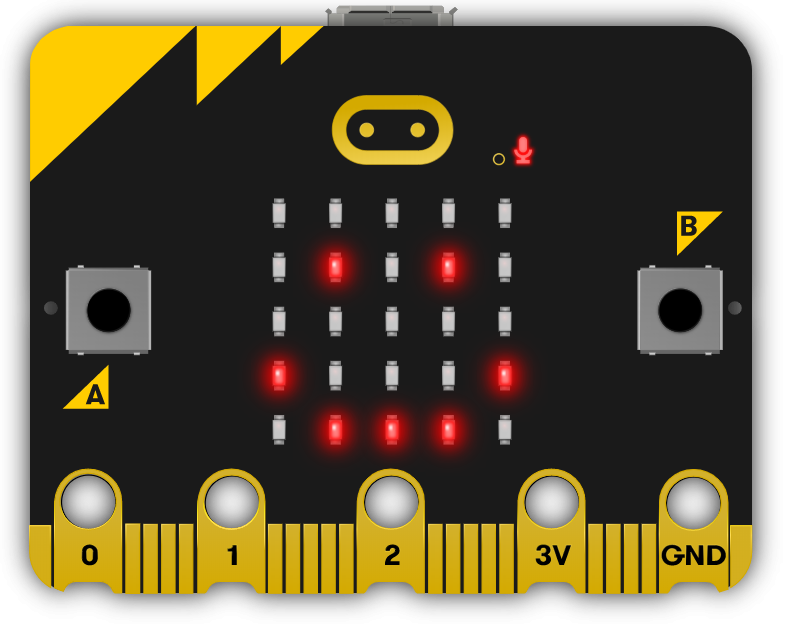
This module will guide teachers through introducing students to the world of microbit programming. Teachers will facilitate students in creating various projects, from a simple step counter to a voting system. Each lesson provides hands-on experience with coding, fostering students' problem-solving and critical thinking skills. Teachers should be prepared to assist with coding and troubleshooting, and encourage students to experiment and explore the capabilities of microbits. The module culminates in a showcase, allowing students to present their projects and reflect on their learning journey.

The NCCA guidelines give teachers significant flexibility in designing and delivering Transition Year modules, allowing them to tailor them to their school's context and students' needs. Our coding and digital skills TY modules are each designed for 8-10 week rotations, typically involving approximately 10 classroom hours of student engagement, which can be integrated into the TY programme as standalone units or combined with other components. Schools may adapt the modules, including teaching approaches and school-based assessments such as portfolios or projects, to reflect specific learning priorities and align with the broader aims of the TY Programme Statement.

Read more

Explore the Course

Click any lesson with to preview it

This module offers a comprehensive introduction to programming with pocket-sized computers. Through hands-on lessons, students will explore project creation, code editing, and interactive applications such as displaying messages, creating a step counter, building a reaction timer, and designing a guessing game, fostering foundational coding skills and creativity.

Exploring the Micro:bit
Exploring Microbits Quiz
Microbit Step Counter Quiz Challenge
Building Simple Projects
Reaction Timer Quiz Challenge
Higher or Lower Game Quiz Challenge

This module offers hands-on experience in developing interactive projects using Microbit and Scratch. Students will create engaging games and functional tools, including a paddle ball game, a compass and thermometer, a secure voting system, and a dynamic chase game, enhancing their coding and problem-solving skills through practical application.

Interactive Games and Sensors
Microbit Paddle Ball Quiz Challenge
Microbit Compass and Thermometer Quiz Challenge
Multi-Device and Gesture Projects
Microbit Voting System Quiz Challenge
Chase the Dot Quiz Challenge

This module guides students through the process of creating and presenting a unique technology project. It covers essential steps such as planning, coding, debugging, and finalising their work with precision. Students will develop practical skills and gain hands-on experience, with the option to implement their project on a physical device.

Microbit Showcase

This module offers a comprehensive introduction to programming with pocket-sized computers. Through hands-on lessons, students will explore project creation, code editing, and interactive applications such as displaying messages, creating a step counter, building a reaction timer, and designing a guessing game, fostering foundational coding skills and creativity.

Exploring the Micro:bit
Exploring Microbits Quiz
Microbit Step Counter Quiz Challenge
Building Simple Projects
Reaction Timer Quiz Challenge
Higher or Lower Game Quiz Challenge

This module offers hands-on experience in developing interactive projects using Microbit and Scratch. Students will create engaging games and functional tools, including a paddle ball game, a compass and thermometer, a secure voting system, and a dynamic chase game, enhancing their coding and problem-solving skills through practical application.

Interactive Games and Sensors
Microbit Paddle Ball Quiz Challenge
Microbit Compass and Thermometer Quiz Challenge
Multi-Device and Gesture Projects
Microbit Voting System Quiz Challenge
Chase the Dot Quiz Challenge

This module guides students through the process of creating and presenting a unique technology project. It covers essential steps such as planning, coding, debugging, and finalising their work with precision. Students will develop practical skills and gain hands-on experience, with the option to implement their project on a physical device.

Microbit Showcase

Teacher Resources

Everything you need to plan and teach the course, ready to download and print.

Teacher resource book

These are for teachers. Sign in to download them.

Curriculum Mapping

See exactly how this course maps to official curriculum specifications

Curriculum Area
Outcomes
Personal Growth
P.1 P.2 P.3 P.4 P.5 P.6 P.7 P.8 P.9 P.10 P.11
Being a Learner
B.1 B.2 B.3 B.4 B.5 B.6 B.7 B.8 B.9 B.10 B.11 B.12
Civic and Community Engagement
C.1 C.2 C.3 C.4 C.5 C.6 C.7 C.8 C.9 C.10 C.11
Career Exploration
CE.1 CE.2 CE.3 CE.4 CE.5 CE.6 CE.7 CE.8

The curriculum does not include official reference codes for individual learning outcomes, so we have assigned a code scheme to make it easier to identify and track coverage.

What Students Will Learn

Learning Goals

  1. Master the basics of Microbit programming, including creating projects, writing and deleting code, and connecting Microbits to computers.
  2. Develop practical applications of Microbit programming, such as creating a step counter, a reaction timer game, and a guessing game.
  3. Understand and utilise the built-in features of Microbits, such as the accelerometer, magnetometer, and temperature sensor.
  4. Apply Microbit programming skills to create interactive games and systems, including a paddle ball game, a voting system, and a 'Chase the Dot' game.
  5. Present and showcase individual Microbit projects, demonstrating a comprehensive understanding of Microbit programming and its applications.

Learning Outcomes

  1. Program a microbit to display messages, react to button presses, show icons, play melodies, and respond to movement.
  2. Develop a step counter using the microbit's accelerometer, displaying the number of steps taken.
  3. Create a reaction timer game using a microbit, measuring reaction times to random visual prompts.
  4. Design a 'Higher or Lower' game on a microbit, programming button inputs and implementing game logic.
  5. Control a Scratch Paddle Ball game using a microbit, manipulating the paddle by tilting the microbit.
  6. Transform a microbit into a compass and thermometer, programming the buttons to use the built-in sensors.
  7. Establish a voting system using multiple microbits, programming them to cast votes, tally the votes, and reset the system.
  8. Develop a 'Chase the Dot' game on a microbit, defining variables, creating and calling functions, and using gestures to control movement.
  9. Present a showcase of the microbit projects developed throughout the course, demonstrating proficiency in microbit programming.

What You'll Need

Student Devices

Students will need one of these devices. Students can share in groups of 2-3 if necessary.

Chromebook/Laptop/PC
Required Equipment

Equipment used in some of the lessons in this course. Items can be shared among students.

Microbit
Microbit

Build a full TY year around Exploring Micro:bit Programming

This module is one of 7 Transition Year modules you can combine into a complete Year-Long TY Digital Skills Programme, shaped around your timetable and the students in front of you.

Run the same pathway for every student, or set different pathways for different groups. Students also get access to the modules they're not doing in class, which is ideal for the keen ones who finish early or want to explore further on their own time.

Prefer a deeper tech focus? Swap in Advanced Coding or Robotics and Automation. Each module is 10 lessons of 40-60 minutes, leaving room for school events, mid-terms and everything else TY throws at you.

Why TY coordinators choose it
One decision, a year's content
No more stitching resources together every term.
Flexible per class, per student
Run different pathways side by side.
Certificates after each module
Great for TY portfolios, open days and reports home.
Sets students up for Senior Cycle
Broad exposure so they choose subjects with confidence.
Sample Year Plan
ICT + Coding focus
  • Computer Skills
    Gets everyone on a level footing
  • Introduction to Coding
    Real, working projects from week one
  • Exploring Digital Media
    Video, design and storytelling
  • Exploring Artificial Intelligence
    The topic your students keep asking about
  • Enterprise and Business Basics
    A pitch-and-launch project to close out the year

Ready to bring this course to your school?

Get in touch to discuss pricing and ordering for your school.

Ready to get started?
Pricing & Ordering Contact Us
🍪 Our website uses cookies to make your browsing experience better. By using our website you agree to our use of cookies. Learn more